Built in Mauritius —
Payday,
on autopilot.

Attendance, salaries, leaves, statutory filings, biometric clocking. EasyPay runs every payroll the same way, every month.

100+ Mauritian businesses
10s Payroll processing*
1 month Free to try
What's inside

Everything HR needs.

One platform, every payroll job. Built for the way Mauritian businesses actually work.

One-click payroll run

Salaries, PAYE, NSF, CSG, allowances and overtime — calculated, validated and ready to send to the bank in a single batch.

More on payroll software
May payroll · 470 employees
Rs 1,240,000 +2.4%
Salaries 84%NSF 8%CSG 5%PAYE 3%

EasyPay Assistant

An always-on AI assistant baked into the app. Ask how a rule works, where a setting lives, or what a statutory return needs — and get the answer without leaving the page you're on.

How do I add an overtime rule for one of my shifts?
Open Settings → Working Hours → Choose the Shift → Overtime Rules, click Add new rule, then set the values you prefer.
Can I set a grace period before lateness counts?
Yes. In Settings → Working Hours → Choose the Shift → Tolerance, set the grace minutes. Clock-ins inside that window won't count as late or undertime.

Approve on WhatsApp

Managers approve leaves, advances and timesheets from their phone — in WhatsApp.

Geo-fenced clock-in

Field staff clock in from their phone. Only when they're on-site.

Biometric clocking

Pair EasyPay with fingerprint or face devices. Plug in, sync, clock-ins land live.

More on time & attendance

Employee self-service

Employees check payslips, request leave, view balances. HR stops being the help desk.

More on HR software
PJ Paul Joseph · 5 days local leave Approved
JD John Doe · payslip Sent

Statutory Reports & Compliance (MRA Reports)

PAYE, NSF, CSG, ROE returns — auto-computed against the latest statutory rates, exportable as CSV.

PAYE NSF CSG ROE Joint Return PRGF PRGF Exit

Day & night shifts

Rotating rosters, night allowances, overtime — calculated automatically.

Bulk anything

Mass imports, batch payslips, group salary updates. Built for whole-workforce moves.

Meal & transport

Allowances tied to attendance. No spreadsheets, no end-of-month math.

EasyPay hardware

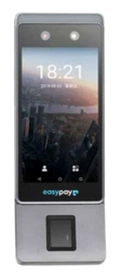
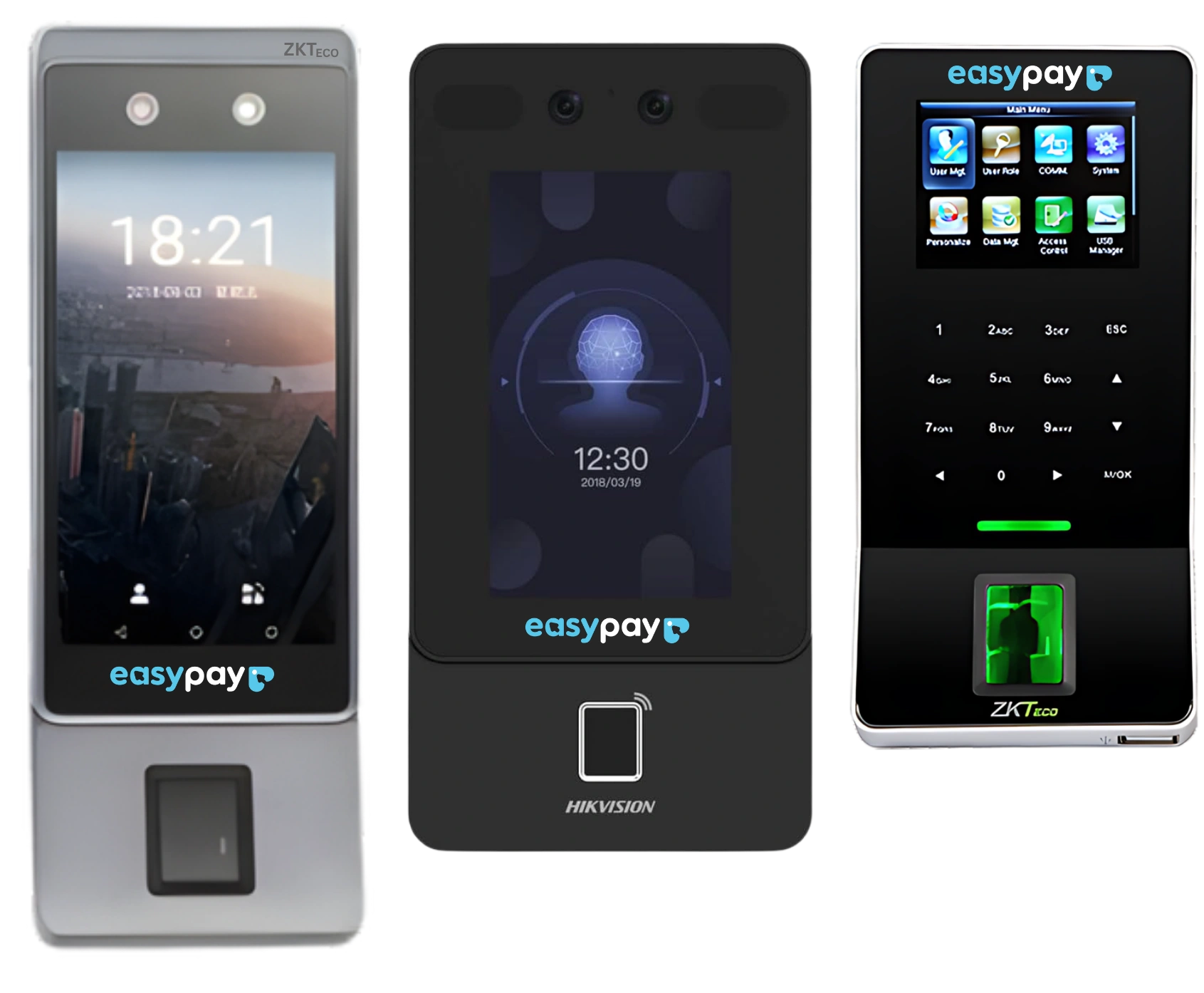
State-of-the-art biometric clocking.

EasyPay-branded fingerprint and face-recognition devices, pre-configured to pair with your account. Sub-half-second recognition, plug-and-play syncing.

Talk to us about devices
5s Live-Sync*
1K to 50K Capacity
Plug & Play EasyPay-ready
EasyPay biometric clock-in devices — fingerprint and face recognition and many more
From zero to first payroll

Access in a week.
Not a quarter.

No long deployment, no consultants on retainer. Our team gets you running on the first payroll cycle.

01

Import employees

Drop in a spreadsheet, or sync from your existing HR file. Salaries, banks, NICs.

02

Plug in the device

Biometric arrives pre-configured. Enrol prints in minutes; clock-ins start landing live.

03

Set shifts & rules

Working hours, allowances, leave entitlements. We pre-load the Mauritian defaults.

04

Access Platform

One click. Payslips go out, bank files generated, statutory returns export ready to file.

Pricing

A plan for every team size.

Billed monthly in Mauritian rupees.

Starter

For small teams getting organised.

1 month free
then a flat monthly fee · up to 10 employees
  • Timesheet & attendance
  • Payroll & payslips
  • Employee directory
  • Bonus calculations
Start free trial
Enterprise

For 100+ employees and bespoke setups.

Custom
tailored to your team
  • All Pro features
  • Custom integrations
  • Dedicated account manager
  • Priority support & SLA
Talk to us

One month free on every plan. Terms and conditions apply.

Questions

Payroll software in Mauritius, answered.

How much does EasyPay cost?

Starter is a flat monthly fee for up to 10 employees. Pro and Enterprise are priced around your team. Talk to us for a quote. Every plan starts with one month free (terms and conditions apply).

How long does it take to get started?

Most businesses have access within a week and run their next payroll cycle on EasyPay. We import your employees, plug in your biometric device and set your shifts and rules, with the Mauritian defaults pre-loaded.

Does EasyPay handle MRA and statutory returns?

Yes. PAYE, CSG and NSF are computed against the latest statutory rates, and EasyPay produces the PAYE, NSF, CSG, ROE, Joint Return, PRGF and PRGF Exit reports, exportable as CSV.

Which biometric clocking devices work with EasyPay?

EasyPay pairs with fingerprint and face-recognition terminals, including the Horus E1 FP, the F22, the Face Pro and the Horus H1 Mobile handheld. Devices arrive pre-configured, and clock-ins land in EasyPay live.

Can staff clock in without a biometric device?

Yes. On the Pro plan, field staff can clock in from their phone with geo-fenced clock-in, which only accepts a clock-in when they are on site.

Can employees see their own payslips and request leave?

Yes. With employee self-service, staff check payslips, request leave and view their balances themselves, and managers approve leave, advances and timesheets from WhatsApp.

Ready when you are

Live on the next payroll cycle.

Hundreds of Mauritian businesses trust EasyPay every month. Get the device, get the team imported, and run payroll without the panic.

Get in touch

Let's talk payroll.

Send a message and our team will get back to you within one business day — usually faster.

Send us a message